
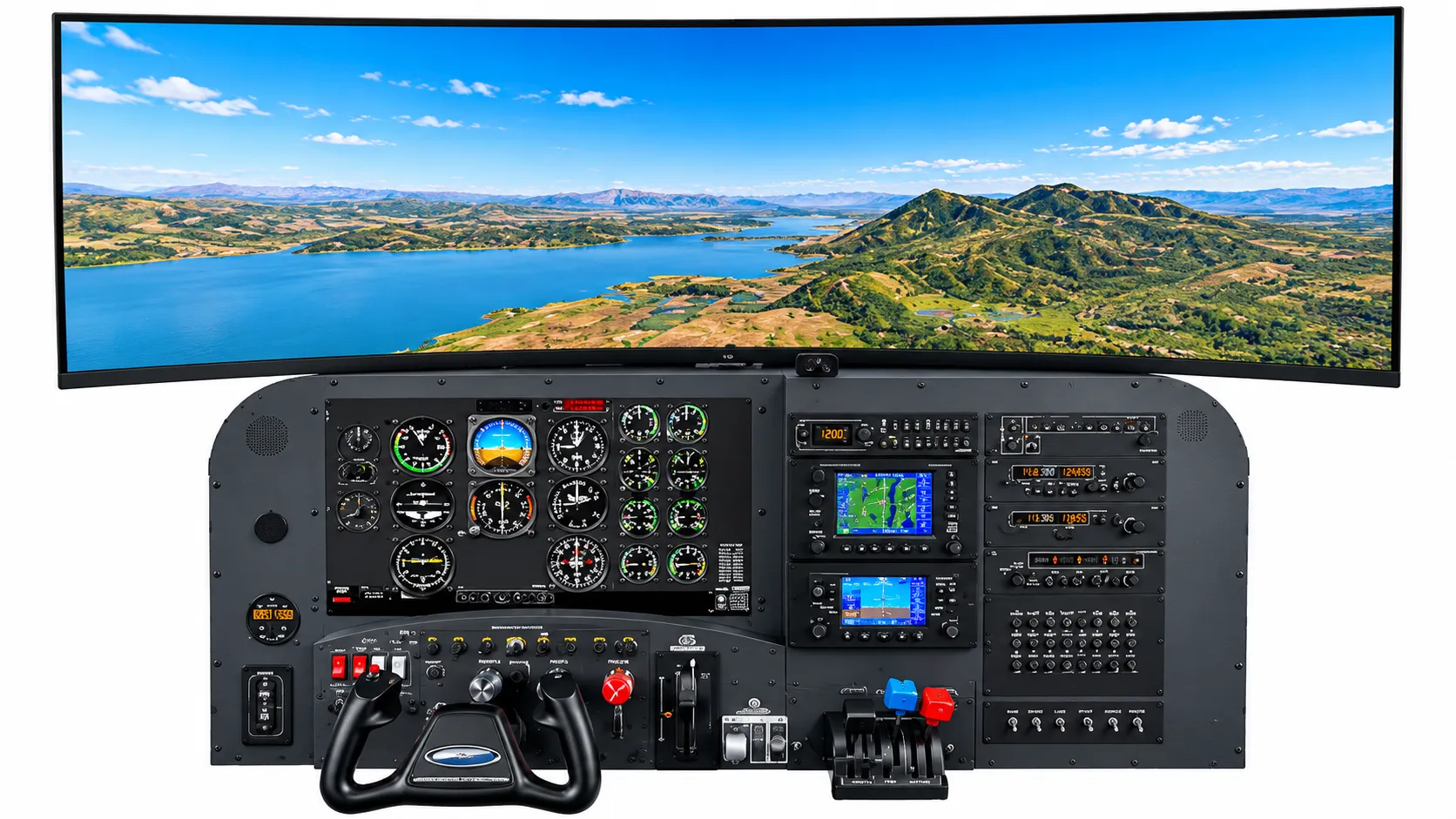
Desktop flight simulator with an instrument panel, yoke, and a wide curved display showing a lake and mountains (concept rendering)

Flight simulators

Simulator systems and experiences

Explore each system interactively, compare them side by side, or open a product for its full details, gallery, and video.

Draft catalogue: The products below are placeholder categories. Names, manufacturers, specifications, and availability will be confirmed by Signature-Sky Aviation before publication. Images marked as concept renderings do not depict company-owned equipment.

Interactive explorer

Explore the Technology Behind the Flight.

Choose a system, then tap the markers on the image to learn what each part does.

Desktop flight simulator with an analog instrument panel, avionics stack, yoke, and a wide panoramic display showing a lake and mountains (concept rendering)
Concept rendering

What you are looking at

1 Panoramic display

A single wide curved display shows the outside world above the panel, giving a broad field of view in a compact footprint.

2 Instrument panel

The classic six primary flight instruments, engine gauges, and annunciators laid out as they are in a light aircraft.

3 Avionics stack

GPS, navigation and communication radios, and a transponder, positioned in the centre of the panel.

4 Yoke

A physical control yoke for pitch and roll, mounted at aircraft height in front of the panel.

5 Throttle quadrant

Throttle, propeller, and mixture levers with a flap switch beside them.

Desktop and fixed-base simulators

Desktop Flight Simulator

A compact instrument-panel simulator with a wide panoramic display, physical yoke, throttle quadrant, and avionics stack for learning the cockpit without leaving the ground.

  • Realistic general-aviation instrument panel layout
  • Wide panoramic outside-view display
  • Physical yoke, throttle quadrant, and panel switches
  • Avionics stack with GPS and radio units
Display configuration
Single wide curved display
Cockpit configuration
Desktop instrument panel with yoke and throttle quadrant (no seat)

Demonstration videos

  • Simulator Overview Coming soon
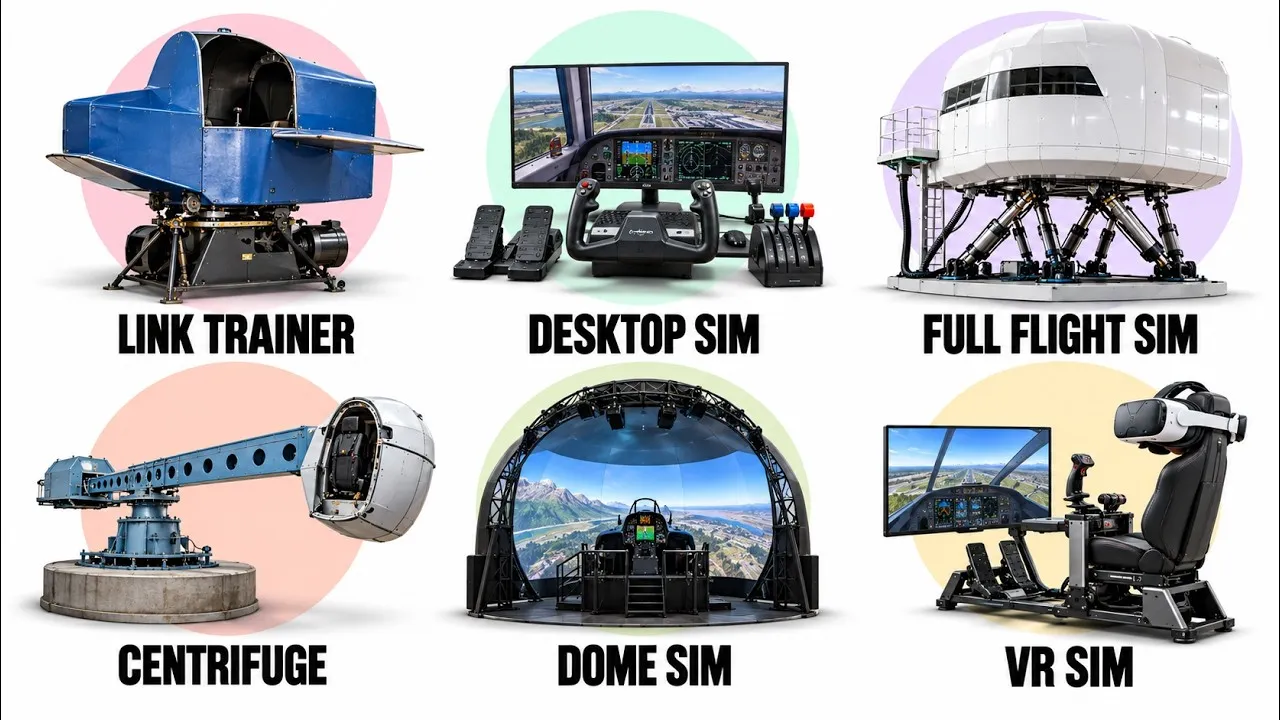
Six types of flight simulator: Link trainer, desktop sim, full flight sim, centrifuge, dome sim, and VR sim Plays via YouTube

Aviation Education

From the Link trainer to virtual reality

New to simulation? This short overview walks through every major type of flight simulator, so you can see where desktop, fixed-base, and panoramic systems fit.

Video by Geo Explained on YouTube.

  1. 0:00 The Link trainer
  2. 1:03 Desktop simulators
  3. 2:14 Flight training devices
  4. 3:17 Full flight simulators
  5. 4:33 Centrifuge simulators
  6. 5:41 Dome simulators
  7. 6:53 Virtual reality simulators

This is an independent video by another creator, shared for general education. It does not show Signature-Sky equipment, and the approval and training rules it mentions are the creator's summary. Ask us about the status of any specific simulator.

Open the video page

Catalogue

All simulators and experiences

Compare side by side

Desktop and fixed-base simulators

Desktop and fixed-base simulators

Desktop Flight Simulator

A compact instrument-panel simulator with a wide panoramic display, physical yoke, throttle quadrant, and avionics stack for learning the cockpit without leaving the ground.

  • Realistic general-aviation instrument panel layout
  • Wide panoramic outside-view display
  • Physical yoke, throttle quadrant, and panel switches
  • First introductions to the cockpit
  • Instrument familiarization
  • Procedure practice
View details

Desktop and fixed-base simulators

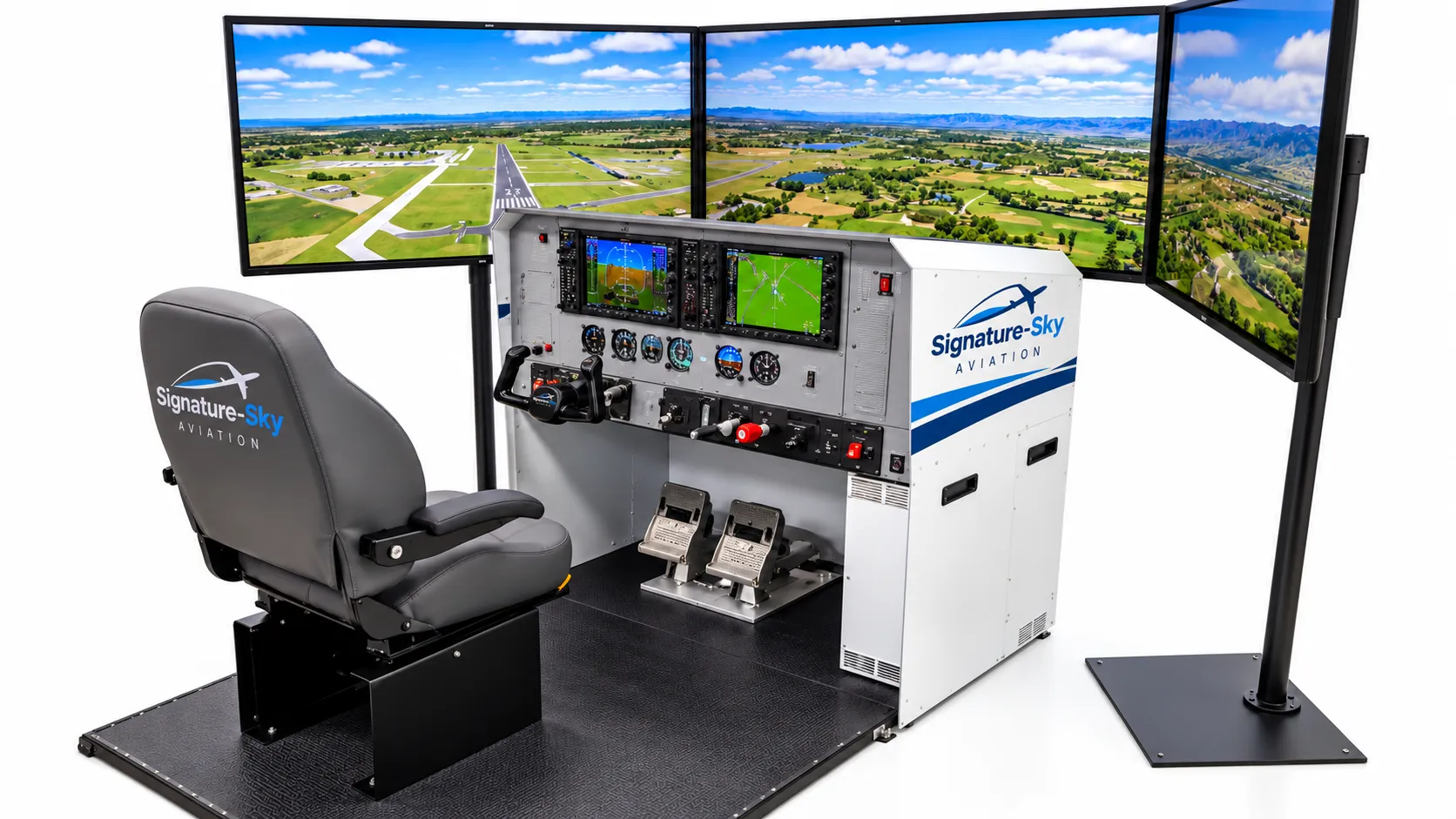
Fixed-Base Training Simulator

A seated, fixed-base cockpit station with a glass-cockpit panel, triple-screen visuals, rudder pedals, and a full set of flight controls.

  • Glass-cockpit primary and multifunction displays
  • Three-screen wraparound outside view
  • Yoke, throttle, mixture, and rudder pedals
  • Procedure training
  • Glass-cockpit familiarization
  • Demonstrations
View details

Professional cockpit simulation systems

Professional cockpit simulation systems

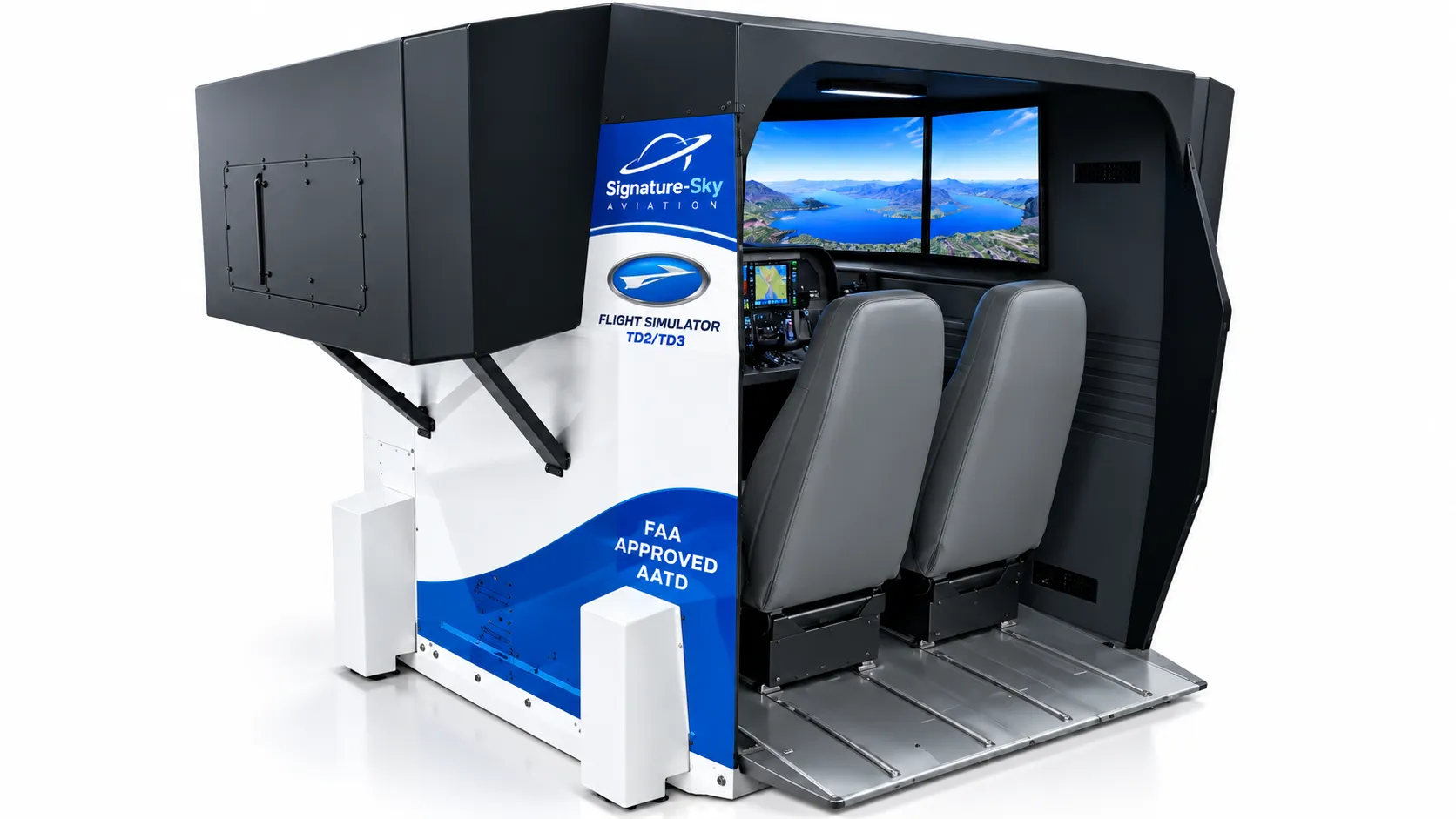
Professional Cockpit Simulation System

An enclosed two-seat cockpit with a full instrument panel, instructor controls, and a shrouded visual system for a focused, distraction-free simulation environment.

  • Enclosed cockpit with shrouded visual system
  • Two seats for pilot and instructor
  • Full instrument panel and controls
  • Guided sessions
  • Structured demonstrations
  • Immersive experiences
View details

Panoramic simulator installations

Panoramic simulator installations

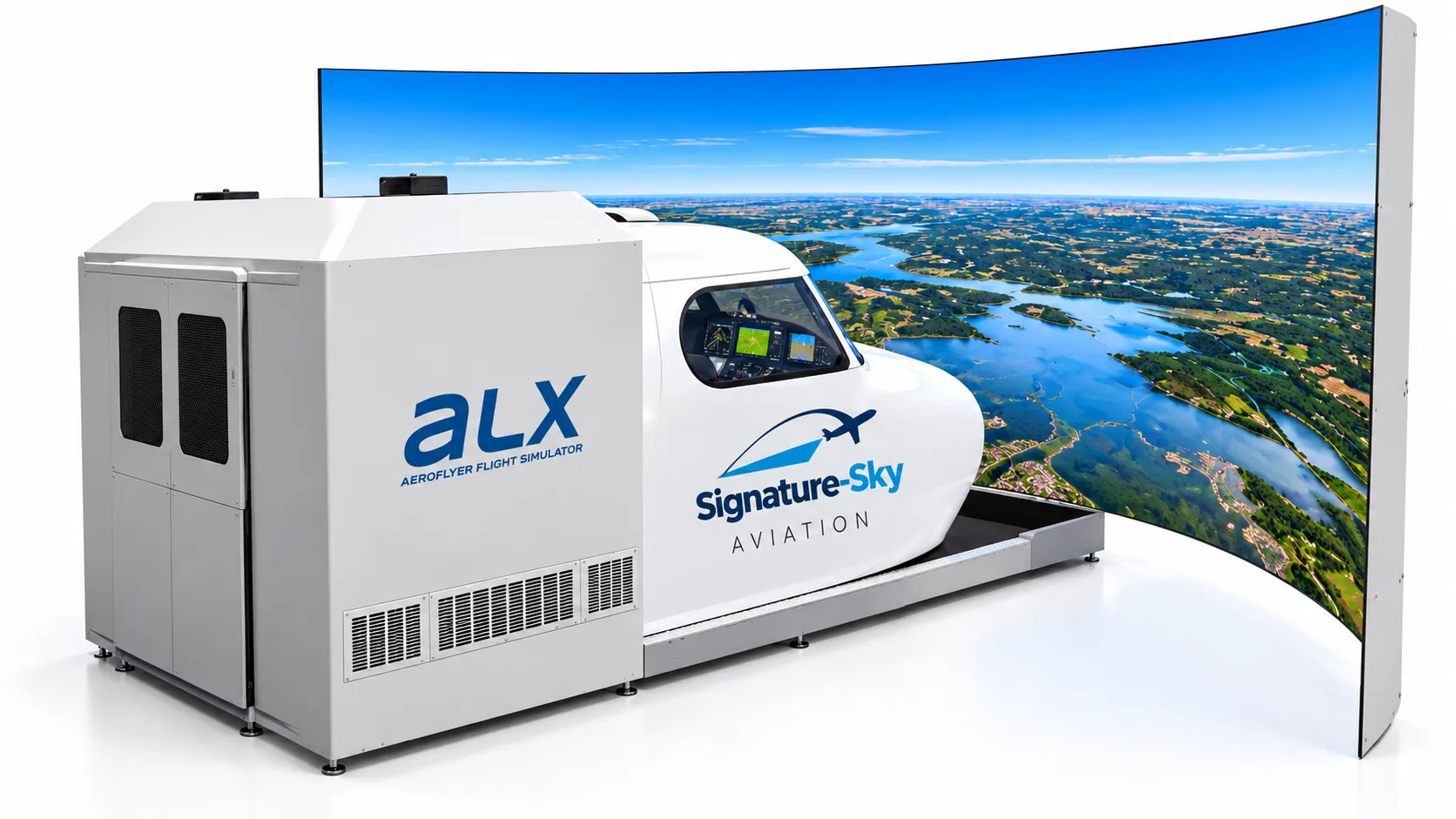
Panoramic Simulator Installation

A cockpit module paired with a large curved panoramic screen that fills your field of view with the outside world.

  • Large curved panoramic visual display
  • Enclosed cockpit module
  • Wide field of view for visual flying
  • Scenic and visual flying
  • Showcase demonstrations
  • Group viewing
View details

Flight training and demonstration experiences

Flight training and demonstration experiences

Demonstration and Training Experiences

Guided sessions that introduce you to the cockpit, the controls, and the feeling of flight using our simulators, led by the Signature-Sky team.

  • Short pre-session briefing
  • Guided tour of the instruments and controls
  • Hands-on simulator time
  • First-time flyers
  • Schools and youth groups
  • Training organisations
View details

Want to see a simulator in person?

Tell us which system interests you and we will arrange a demonstration.